Introduction
Website speed is one of the most critical factors for online success. A slow-loading website not only frustrates users but also negatively impacts search engine rankings and conversions.
In today’s fast-paced digital environment, even a delay of a few seconds can lead to lost customers and reduced revenue. Optimizing your website speed ensures a better user experience and improved business performance.
⚡ Why Website Speed Matters
🚀 Better User Experience
Users expect websites to load quickly. Faster sites keep visitors engaged.
📉 Lower Bounce Rates
Slow websites cause users to leave before interacting.
📈 Higher Conversions
Faster loading leads to more completed purchases.
🔍 Improved SEO Rankings
Search engines prioritize fast-loading websites.
🔑 Key Factors Affecting Website Speed
- Large image sizes
- Poor hosting quality
- Excessive scripts and plugins
- Lack of caching
- Unoptimized code
- Server response time
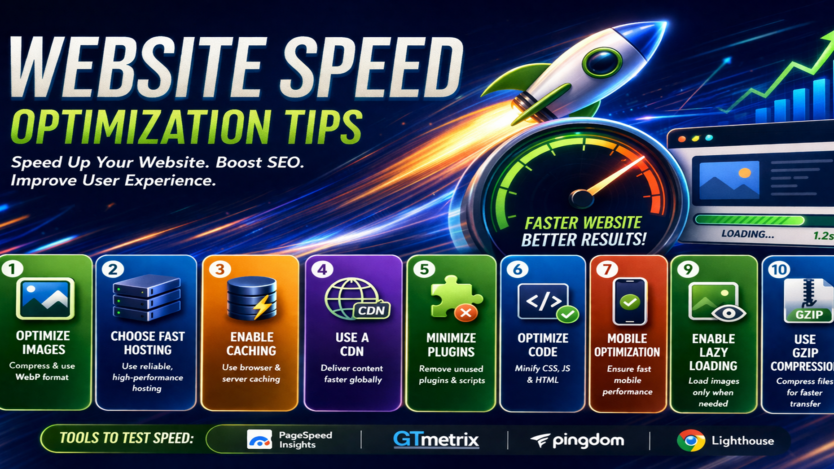
⚙️ Website Speed Optimization Tips
🖼️ 1. Optimize Images
The Problem:
Large images slow down page loading.
Solution:
- Compress images without losing quality
- Use modern formats (WebP)
- Resize images properly
⚡ 2. Use a Fast Hosting Provider
The Problem:
Slow servers delay website loading.
Solution:
- Choose reliable hosting
- Use VPS or cloud hosting for scalability
📦 3. Enable Caching
The Problem:
Website loads from scratch every time.
Solution:
- Use browser caching
- Implement server-side caching
🌍 4. Use a Content Delivery Network (CDN)
The Problem:
Slow loading for global users.
Solution:
- Use CDN to deliver content faster
- Serve files from nearest location
🧩 5. Minimize Plugins & Scripts
The Problem:
Too many plugins slow down performance.
Solution:
- Remove unnecessary plugins
- Use lightweight alternatives
🧾 6. Optimize Code
The Problem:
Heavy or unoptimized code increases load time.
Solution:
- Minify CSS, JavaScript, and HTML
- Remove unused code
📱 7. Mobile Optimization
The Problem:
Poor performance on mobile devices.
Solution:
- Use responsive design
- Optimize mobile speed
🔄 8. Reduce HTTP Requests
The Problem:
Too many requests slow down loading.
Solution:
- Combine files
- Reduce external resources
🧠 9. Enable Lazy Loading
The Problem:
All content loads at once.
Solution:
- Load images only when visible
- Improve initial load time
🔐 10. Use GZIP Compression
The Problem:
Large files take longer to transfer.
Solution:
- Compress files using GZIP
- Reduce data size
📊 Tools to Test Website Speed
- Google PageSpeed Insights
- GTmetrix
- Pingdom
- Lighthouse
⚠️ Common Mistakes to Avoid
- Ignoring image optimization
- Using too many heavy themes/plugins
- Not testing mobile performance
- Poor hosting choice
- Skipping regular performance checks
🚀 Pro Tips for Faster Websites
- Use lightweight themes
- Optimize database regularly
- Preload important resources
- Monitor performance continuously
- Keep software updated
Conclusion
Website speed is not just a technical factor—it directly impacts user experience, SEO rankings, and revenue. By applying the right optimization techniques, you can significantly improve your website performance and stay ahead of competitors.
Need Help Optimizing Your Website Speed?
At Tradepoint Digital, we help businesses:
- Optimize website performance
- Improve loading speed
- Fix technical issues
- Enhance user experience
👉 Get in touch today to make your website faster and more efficient.