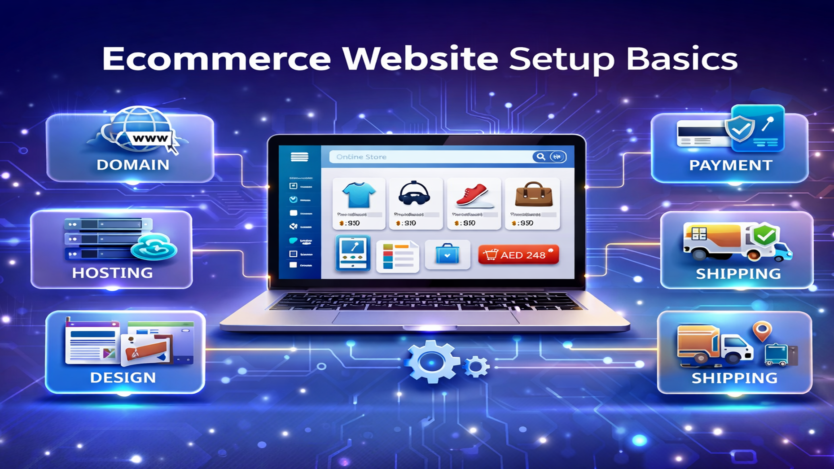
Introduction
Setting up an eCommerce website is the foundation of any successful online business. A well-structured and properly configured store not only attracts customers but also ensures smooth operations, secure transactions, and higher conversions.
Whether you are starting from scratch or upgrading your existing business, understanding the basics of eCommerce website setup is essential for long-term success.
🛒 What Is an eCommerce Website?
An eCommerce website is an online platform where businesses sell products or services directly to customers through the internet. It includes features such as product listings, payment processing, and order management.
⚙️ Key Steps to Set Up an eCommerce Website
1️⃣ Choose Your Business Model
Before setting up your website, decide what type of business you will run:
- Physical products
- Digital products
- Dropshipping
- Subscription services
This decision will guide your platform and setup requirements.
2️⃣ Select the Right Platform
Choose a platform based on your needs:
- Shopify → Easy and beginner-friendly
- WooCommerce (WordPress) → Flexible and customizable
- Magento → Advanced and scalable
Your platform is the backbone of your online store.
3️⃣ Register Domain & Hosting
- Choose a domain name (your website address)
- Purchase reliable hosting (for self-hosted platforms)
Make sure your domain is:
- Short
- Brandable
- Easy to remember
4️⃣ Design Your Website
A professional design builds trust.
Focus on:
- Clean layout
- Easy navigation
- Mobile responsiveness
- Fast loading speed
5️⃣ Add Products
Upload your products with:
- Titles
- Descriptions
- Images
- Prices
- Categories
Well-structured product listings improve user experience and SEO.
6️⃣ Set Up Payment Methods
Enable secure payment options:
- Credit/Debit cards
- Apple Pay / Google Pay
- Payment gateways (Stripe, PayTabs, etc.)
- Cash on Delivery (if applicable)
7️⃣ Configure Shipping
Set up:
- Shipping rates
- Delivery zones
- Logistics partners
Offer clear delivery timelines and tracking options.
8️⃣ Optimize for SEO
Ensure your website is visible in search engines:
- Use relevant keywords
- Optimize product pages
- Write unique descriptions
- Improve site speed
9️⃣ Test Your Website
Before launching, test:
- Checkout process
- Payment system
- Mobile responsiveness
- Loading speed
Fix any issues to ensure a smooth user experience.
🔟 Launch & Market Your Store
After setup:
- Promote your store on social media
- Run ads (Google, Meta)
- Use email marketing
- Create SEO content
🔑 Essential Features of an eCommerce Website
- Product catalog
- Shopping cart
- Secure checkout
- Order tracking
- Customer accounts
- Reviews and ratings
⚠️ Common Mistakes to Avoid
- Poor website design
- Slow loading speed
- Complicated checkout
- Missing payment options
- Weak product descriptions
🚀 Tips for a Successful Setup
- Keep design simple and professional
- Focus on user experience
- Use high-quality images
- Ensure mobile optimization
- Build trust with secure payments
Conclusion
Setting up an eCommerce website may seem complex, but by following the right steps, you can create a powerful and scalable online store. A well-structured setup ensures smooth operations, better customer experience, and higher sales potential.
Need Help Setting Up Your eCommerce Website?
At Tradepoint Digital, we help businesses:
- Build professional eCommerce websites
- Set up payment and shipping systems
- Optimize for SEO and performance
- Create high-converting product pages
👉 Get in touch today to launch your online store the right way.